Owner / manager
Carry out a move-in or move-out inspection
Prepare observations, meters, keys and photos before finalisation.
Where to go : Lease → Inspections
Before you start
Check the lease, relevant occupants and property inventory.
Available actions depend on your role, plan and the record’s current state. This manual explains how to use the product; legal topics are covered in the resource centre.
Step by step
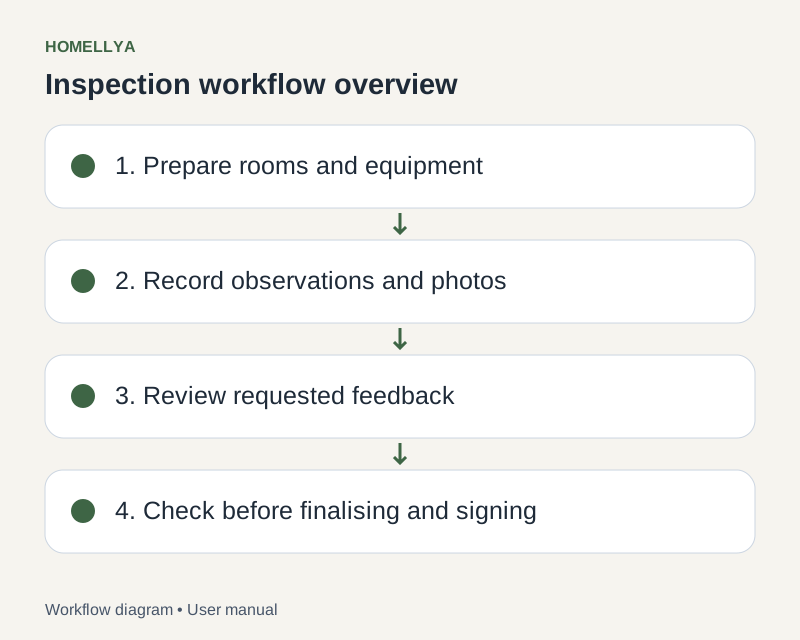
Create the inspection within the correct lease. Choose move-in or move-out and, where offered, the full lease or a specific occupant.
Initialise from the property or a previous inspection where available. Check the copied content.
For each room and equipment item, enter the observed condition and comments. Add photos clearly showing the observations.
Complete meter readings, keys and other available sections. Save regularly and check missing details.
If tenant feedback is needed, send the intended version for review and track responses before proceeding.
Review everything before finalisation and signature preparation. Finalisation may lock editing: do not use it as an intermediate save.
Check the result
The inspection records observations for the tenancy, with review and signing stages visible in follow-up.
If something goes wrong
Can no longer edit an observation? Check whether the inspection was finalised or entered signing. Refresh before acting and use the available follow-up.