All users
Resolve a problem without losing track of your record
Check context and server state before repeating an action.
Where to go : Affected screen; website → Contact for support
Before you start
Note the attempted action, time and error message without copying secrets.
Available actions depend on your role, plan and the record’s current state. This manual explains how to use the product; legal topics are covered in the resource centre.
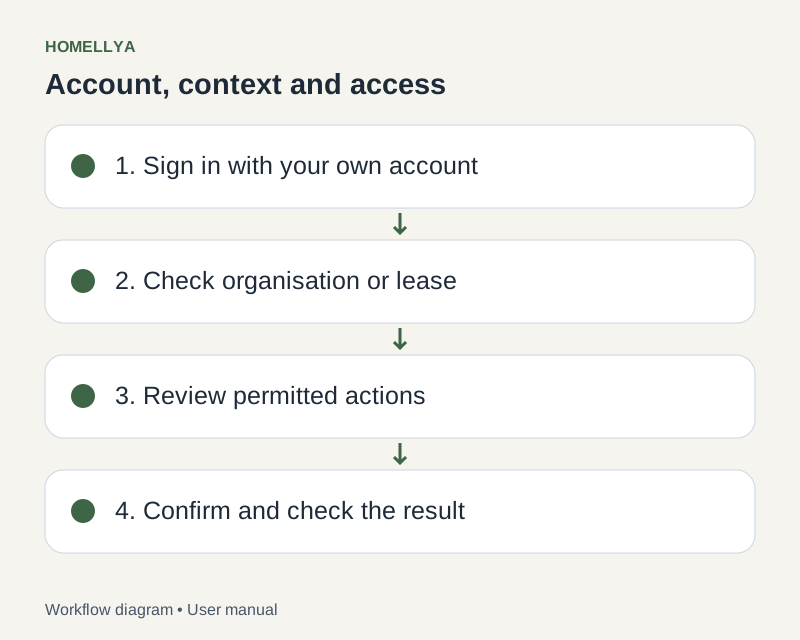
Step by step
Check the current account, organisation or lease. Clear filters and check the period before deciding an item is missing.
If a form has unsaved changes, read the confirmation before leaving. Refreshing may lose information that was not saved.
If an item was deleted, changed by someone else, finalised or entered signing, read the message and refresh to work from the current state.
After an uncertain network response, check whether the operation exists before repeating it, especially payments, uploads or signature requests.
For files, check type, size and quota. For missing actions, check role, plan and app version.
If the issue persists, contact support with the workflow, time, browser or mobile version and a redacted screenshot. Never include passwords, codes or private invitation links.
Check the result
You can explain the issue and avoid duplicates or actions incompatible with the current state.
If something goes wrong
Distinguish owner-facing property tickets from Homellya support requests. If unsure about a financial operation, verify it was recorded before entering it again.